Instagram Competitive Insights: What It Misses and What to Use Instead
Instagram Competitive Insights explained: setup steps, real limitations (90-day window, no Reels velocity), and better tools for competitor Reels tracking.

Meta's Instagram Competitive Insights lets creators compare a handful of rival accounts without leaving the app. Useful for follower and interaction trends—but not a full instagram competitive insights stack for Reels format research, client exports, or spotting which competitor clip is accelerating this week.
Below: how the feature works, the limitations teams hit in practice, and focused alternatives when native benchmarking stops short.
What Instagram Competitive Insights is
Competitive Insights (Creator / Professional accounts) lets you add competitor accounts and view comparative charts for follower growth and interactions over a selected period. Meta pitched it as a way to compare accounts inside Instagram—fewer screenshots from third-party apps for basic benchmarking.
Account-level pulse checks, not a Reels production database.
How to set up Competitive Insights (5 steps)
Requirements and labels change; verify in Instagram Help Center before client training.
- Switch to a Professional account — Creator or Business, with access to professional dashboards.
- Open Insights — From profile menu → Professional dashboard → Insights.
- Find Competitive Insights — Look for the competitors / benchmarking section (wording varies by rollout).
- Add competitors — Search handles you want to track; Meta enforces a small cap (commonly cited around ten accounts—confirm in-app).
- Review comparison charts — Scan follower trends, interaction trends, and period filters (often up to roughly 90 days).
Walkthroughs like StoryChief's 2026 competitor insights guide and Dataslayer's overview agree: setup is easy; depth is where teams stall.
Which metrics Competitive Insights actually shows
Competitive Insights is not a blank dashboard—it surfaces account-level comparisons Meta chooses to expose between you and rivals you add. In typical rollouts, creators report seeing:
| Metric area | What you usually get | What is often missing |
|---|---|---|
| Follower growth | Line charts comparing your follower trend vs. selected rivals | Per-Reel follower attribution |
| Interactions | Aggregate interaction trends (likes, comments, shares at account level) | Saves, shares, or ER per individual Reel on rivals |
| Content activity | High-level posting frequency signals | Ranked Reels leaderboard with view counts |
| Time filters | Rolling windows (often up to ~90 days) | Year-over-year archives for seasonal niches |
| Competitor slots | A capped list you manage in-app | Unlimited niche maps or client portfolios |
That profile makes Competitive Insights strong for questions like "Is rival X gaining followers faster than us this month?" It is weak for "Which of rival X's last twelve Reels should we storyboard this week?"—that second question is Reels-tab research, and Meta does not ship a native sort for someone else's grid.
Creators who only open Insights once a month still benefit from the follower/interaction charts. Teams who run weekly creative reviews almost always outgrow the feature within a few cycles because the unit of analysis stays at the account, not the clip.
Note
Treat Competitive Insights as a health check, not a production database. Pair it with dated CSV exports or extension panels when Reels format decisions drive your calendar.
When native benchmarking is enough vs. when to add extensions
Use this quick decision frame before you buy another tool or install another extension:
Stay on Competitive Insights alone if you:
- Track fewer than five rivals casually
- Care about follower direction, not hook-level Reels research
- Post occasionally and do not run client reporting
- Never need a ranked export of competitor Reels
Add a Reels tracker or Chrome extension when you:
- Open rival Reels tabs weekly and manually note view counts
- Need CSV rows for agencies, editors, or creative briefs
- Monitor more than ~10 handles across niches or client verticals
- Want growth between visits—which clip gained views since Tuesday
- Run A/B tests on hooks and need dated history, not one snapshot
The upgrade path does not mean abandoning Meta's charts. Most high-output teams use Competitive Insights monthly for macro peer health and browser tools weekly for creative intelligence. That hybrid keeps official data for stakeholder updates while extensions handle the Reels grid work Insights was never designed to do.
If you are already at the extension stage, start with sort Instagram Reels by views for tool comparisons, then layer view growth rate tracking once lifetime sorts feel too slow for trend scouting.
Limitations that push teams to other tools
| Limitation | What you feel in practice | Why it matters for Reels |
|---|---|---|
| Account-level, not Reels-first | Charts summarize rivals, not every Reel ranked by views | Format scouting needs per-Reel sorts |
| Short history window | Often ~90 days of comparative trends | Seasonal campaigns need longer logs |
| No native Reels velocity | Hard to see which clip is accelerating now | Trend scouting misses breakouts |
| Limited export | No client-ready CSV of ranked Reels | Agencies rebuild tables manually |
| Small competitor cap | Cannot monitor a full niche map | Portfolio brands track more than 10 rivals |
| Sparse engagement depth | Saves/shares/ER not always rival-visible | Creative quality signals stay partial |
| One-to-one comparisons | No multi-account dashboard | Weekly reviews get repetitive |
Creators in r/InstagramMarketing often keep Competitive Insights for macro checks but switch to extensions once rival Reels research becomes a weekly calendar slot—not a occasional profile visit.
Warning
If your workflow starts with "open their Reels tab and rank by views," Competitive Insights will not replace that step. Use native insights for macro trends; use Reels tools for creative intelligence.
What Competitive Insights does well (keep using it)
- Follower momentum checks — See if a rival's audience is growing faster than yours in the same period.
- Interaction trend direction — Spot account-wide engagement swings after a campaign or algorithm shift.
- Zero extra install — Fine for solo creators who only track a few peers casually.
- Official data path — No third-party ToS debate for account-level charts Meta exposes.
Pair these with Instagram growth strategy for 2026 and free Instagram analytics for owned-account context—but do not expect Reels-level granularity from Competitive Insights alone.
Better fits when you hit the gaps above
Sort and rank public Reels by views
For per-Reel ranking on competitor profiles, browser tools are still the pragmatic path. See Sort Instagram Reels by Views and Growth for extension comparisons and export habits.
Track view growth rate between visits
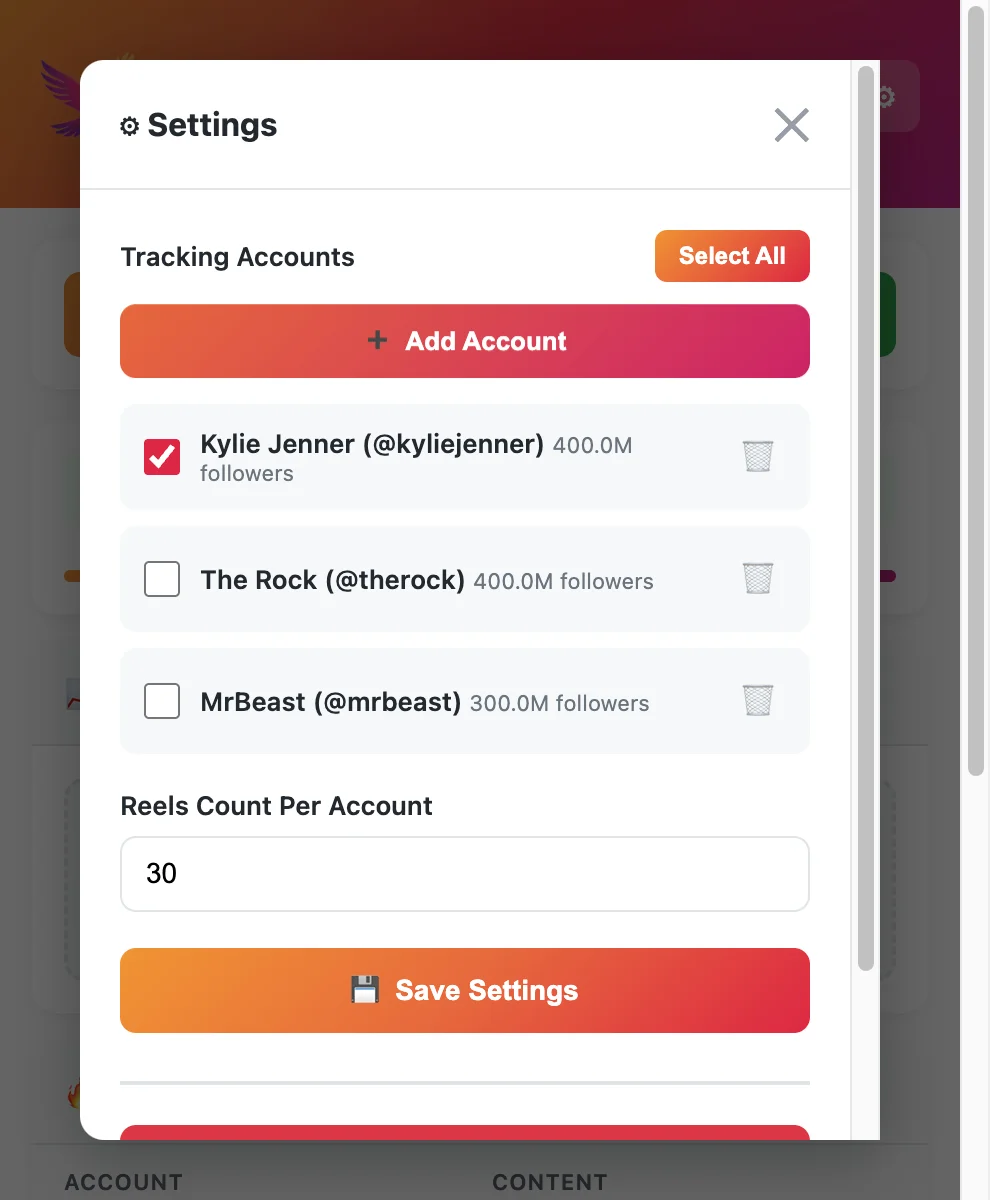
Competitive Insights does not store Reels update history for rivals. Extensions such as EagleReels emphasize view growth rate and multi-account panels so you can see which competitor Reel gained the most since last Tuesday—not only which clip has the highest lifetime plays.
Free Reels tracker stack
Our free Instagram Reels tracker tools comparison covers privacy models, CSV limits, and how tools like IShort, Sort Feed, and EagleReels differ.
Dedicated competitor tracker narrative
When benchmarking becomes weekly operations, read Instagram Reels competitor tracker (workflow-focused companion) and benchmark Reels against competitors for step-by-step scorecards.
Export for agencies
Client reporting usually needs CSV. Competitive Insights does not replace export Instagram Reels data to CSV workflows.
Turn rival signals into your own growth tests
Once you know which competitor formats are rising, apply changes to your Reels—not copy-paste hooks. Our increase Reels views guide covers hook, timing, and completion tactics when you are ready to test.
Competitive Insights vs. Reels-focused tracking
| Question | Competitive Insights | Reels tracker / extension |
|---|---|---|
| Unit of analysis | Account trends | Individual Reels |
| Competitor Reels sort | No | Yes (public profiles) |
| Growth between visits | Limited | Tool-dependent (e.g., growth rate) |
| Multi-account panel | Small capped list | Varies by product |
| Client CSV | Not core | Common on paid tiers |
| Cost | Included in Professional | Free tiers + caps |
A practical hybrid workflow
- Monthly — Check Competitive Insights for follower/interaction direction on top rivals.
- Weekly — Open each rival's Reels tab; sort by views and export via your chosen extension.
- Twice weekly — Scan for growth spikes on clips posted in the last 14 days.
- Quarterly — Align findings with Instagram Reels algorithm updates and refresh hooks.
Official benchmarking for macro health; specialized tools for creative decisions.
Common mistakes when relying on Competitive Insights alone
Teams often over-trust native benchmarking because it is official and free. These patterns show up repeatedly in creator forums and agency onboarding calls:
-
Treating follower growth as Reels success — A rival can gain followers while their recent Reels underperform. Competitive Insights may show healthy follower charts even when their last six clips flopped. Reels-tab sorts expose format fatigue faster.
-
Skipping dated exports — Without CSV history, you cannot prove a breakout happened this week. Extensions that support export—or even a disciplined manual spreadsheet—create evidence for creative pivots.
-
Monitoring too many rivals in-app — The competitor cap forces hard choices. Many teams add their top five peers in Insights but track a wider niche map in a multi-account panel outside the app.
-
Ignoring view velocity — Lifetime view leaders on a Reels grid are often months old. Growth-rate sorts surface clips that are accelerating now, which matters more for trend scouting than all-time champions.
-
Expecting private metrics — Competitive Insights only reflects what Meta exposes for public professional accounts you add. Private rivals, DMs, and non-public test accounts stay out of scope—same as any browser extension reading public pages.
Avoiding these mistakes does not require abandoning Meta's tool. It means assigning Competitive Insights a narrow job—account health—and assigning Reels extensions the creative intelligence job Insights was never built to carry.
FAQ
Frequently Asked Questions
Where to start
Instagram competitive insights is a helpful free layer for account-level peer checks. It does not replace Reels-tab sorting, growth tracking, or agency exports. Use Meta's tool for direction; use Reels-specific workflows for creative intelligence.
EagleReels on the Chrome Web Store — free install, multi-account panel, growth-rate sort.
Last updated: June 5, 2026. EagleReels is not affiliated with Instagram or Meta. Feature availability varies by account type and region.
Related articles:
Ready to track your Instagram Reels performance?
Download EagleReels Chrome extension and start analyzing your Reels today. It's free!
Download EagleReelsRelated Articles

Instagram Reels Analytics for Agencies: Lightweight Competitor Workflow
Instagram Reels analytics for agencies—a lightweight competitor workflow with CSV exports, client benchmarks, free tools, and no heavy SaaS stack.

Instagram Reels Competitor Tracker: How to Monitor Rivals in 2026
Learn how an Instagram Reels competitor tracker works—weekly workflow, tools compared, metrics to watch, and alternatives when Competitive Insights is not enough.

Data-Driven Instagram Reels Content Strategy (Competitor Data)
Build a data-driven Instagram Reels content strategy using competitor data—tracking workflows, growth signals, test calendars, and tools that beat guesswork.