Free Instagram Analytics Tool: Best No-Cost Options for 2026
Instagram deletes your data after 90 days. Discover the best free Instagram analytics tools that save your data permanently and give you better insights than native Insights.
Looking for a free Instagram analytics tool that actually works? You're not alone. Instagram deletes your Insights data every 90 days. Gone. Forever. So creators and marketers are scrambling to find better solutions—ones that won't break the bank.
Here's the truth: Instagram Insights is free, but it's also limited. The good news? There are several free alternatives that give you more control over your data, longer history, and better insights—without spending a dime.
In this guide, we'll break down the best free Instagram analytics tools in 2026, what they offer, and when you might need to upgrade to a paid option.
Why Instagram Insights Isn't Enough (For Most People)
Instagram Insights is the native analytics tool available to all Business and Creator accounts. It's free, easy to access, and provides basic metrics like reach, engagement, and follower demographics.
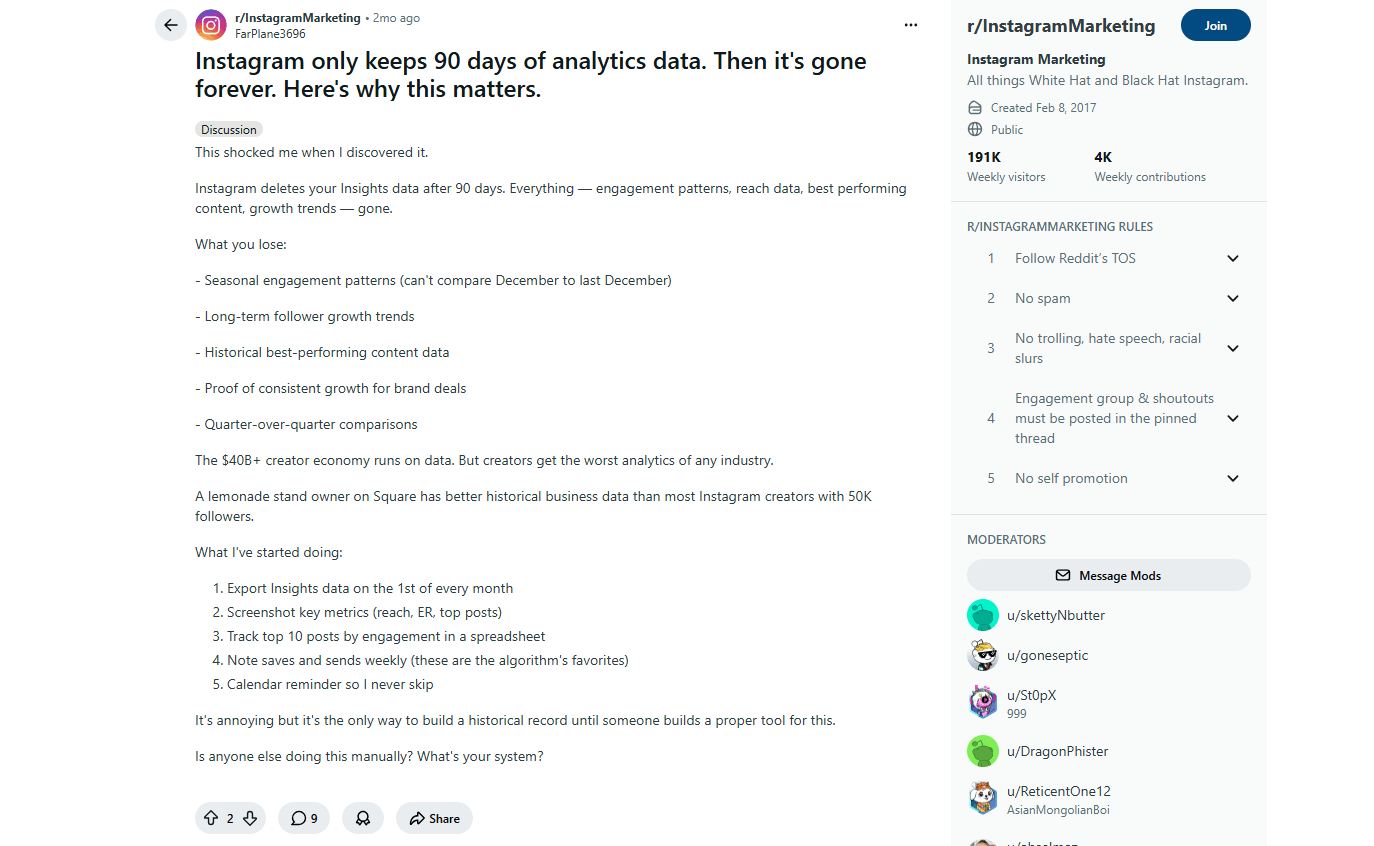
But here's the problem: Instagram only keeps your data for 90 days. After that, it's gone forever. This limitation was confirmed by Meta's official documentation and has been a major pain point discussed extensively in the r/InstagramMarketing community, where one user noted: "Instagram deletes your Insights data after 90 days. Everything — engagement patterns, reach data, best performing content, growth trends — gone."
What does this mean for you?
- No long-term growth tracking
- No year-over-year comparisons
- No seasonal pattern analysis
- Your best posts? That data's gone after 90 days
For casual creators posting occasionally, this might be fine. But if you're serious about growing your Instagram presence, you need a tool that saves your data permanently.
Other Limitations of Instagram Insights
Beyond the 90-day limit, Instagram Insights also lacks:
- Competitor tracking - You can't see how your competitors are performing
- Data export - No way to download reports for presentations
- Cross-platform comparison - Can't compare Instagram to other social networks
- Advanced analytics - No audience overlap, optimal posting times, or content recommendations
So what's the solution? Third-party analytics tools. Let's break down your options.
The Best Free Instagram Analytics Tools in 2026
According to a comprehensive review by Sked Social (2026), which tested 13 Instagram analytics tools, "Meta Business Suite remains a strong free option for basic Instagram and Facebook analytics," while third-party tools like Metricool and Iconosquare offer more advanced features for users who need deeper insights.
1. Instagram Insights (Native)
Price: Free
Best for: Casual creators and small accounts
Instagram Insights is built into the Instagram app and available to all Business and Creator accounts. It's the most basic option, but it's also the most accessible.
What you get:
- Post reach and impressions
- Engagement metrics (likes, comments, shares, saves)
- Follower demographics (age, gender, location)
- Story and Reels analytics
- Best posting times (based on when your followers are active)
Limitations:
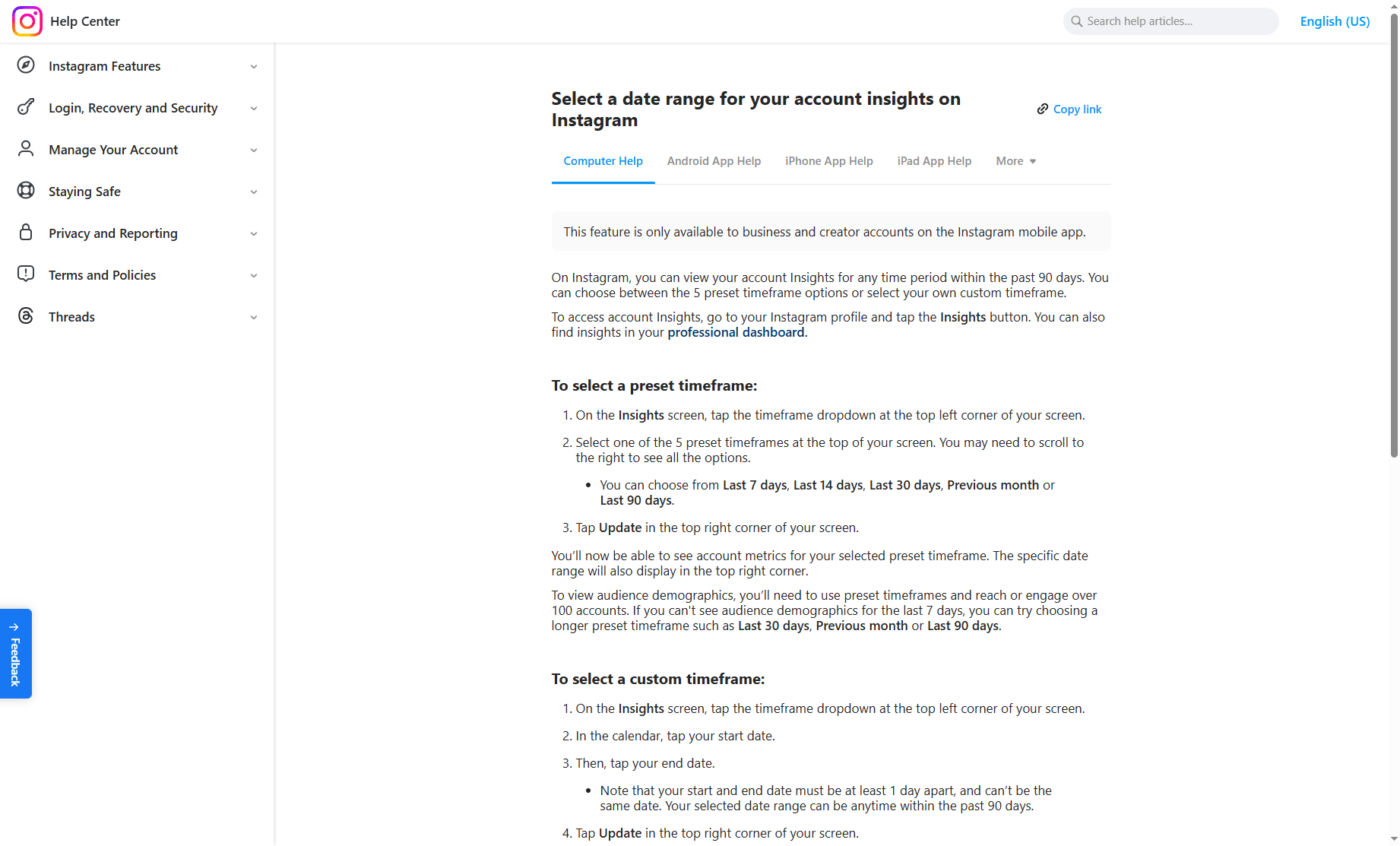
- Only 90 days of historical data
- No competitor tracking
- No data export
- No cross-platform analytics
Bottom line: Perfect if you're just starting out. But once you get serious about Instagram? You'll hit its limits fast.
2. Meta Business Suite
Price: Free
Best for: Managing Instagram + Facebook together
Meta Business Suite is Meta's free tool for managing both Instagram and Facebook from one dashboard. It's essentially an upgraded version of Instagram Insights with cross-platform capabilities.
What you get:
- All Instagram Insights metrics
- Facebook analytics in the same dashboard
- Content scheduling (limited)
- Inbox management for both platforms
- Basic reporting
Limitations:
- Still limited to 90 days of historical data
- No competitor tracking
- Limited scheduling features compared to paid tools
Bottom line: Managing Instagram and Facebook together? This is your best free bet. Just remember—it still has that 90-day limit.
3. Metricool (Free Plan)
Price: Free (1 brand, 30 days history)
Best for: Solo creators who want more than Instagram Insights
Metricool is one of the most popular social media management tools, and it offers a surprisingly generous free plan.
What you get:
- 1 brand (1 Instagram account)
- 30 days of historical data (better than Instagram's 90 days? No, but it saves your data permanently after you connect)
- Unlimited posts
- Basic scheduling
- Cross-platform analytics (Instagram, Facebook, Twitter, LinkedIn, TikTok)
- Competitor tracking (limited on free plan)
Limitations (per Metricool's official help documentation):
- Only 1 brand on free plan
- 30 days of historical data viewing window (but data accumulates permanently once connected)
- 20 posts per month limit (posts published while on a premium trial also count toward this limit if you downgrade)
- No team collaboration features
- No access to extended analytics history or competitor tracking
Bottom line: Best free third-party tool for solo creators, hands down. Connect your account once, and Metricool saves your data forever. No more 90-day panic.
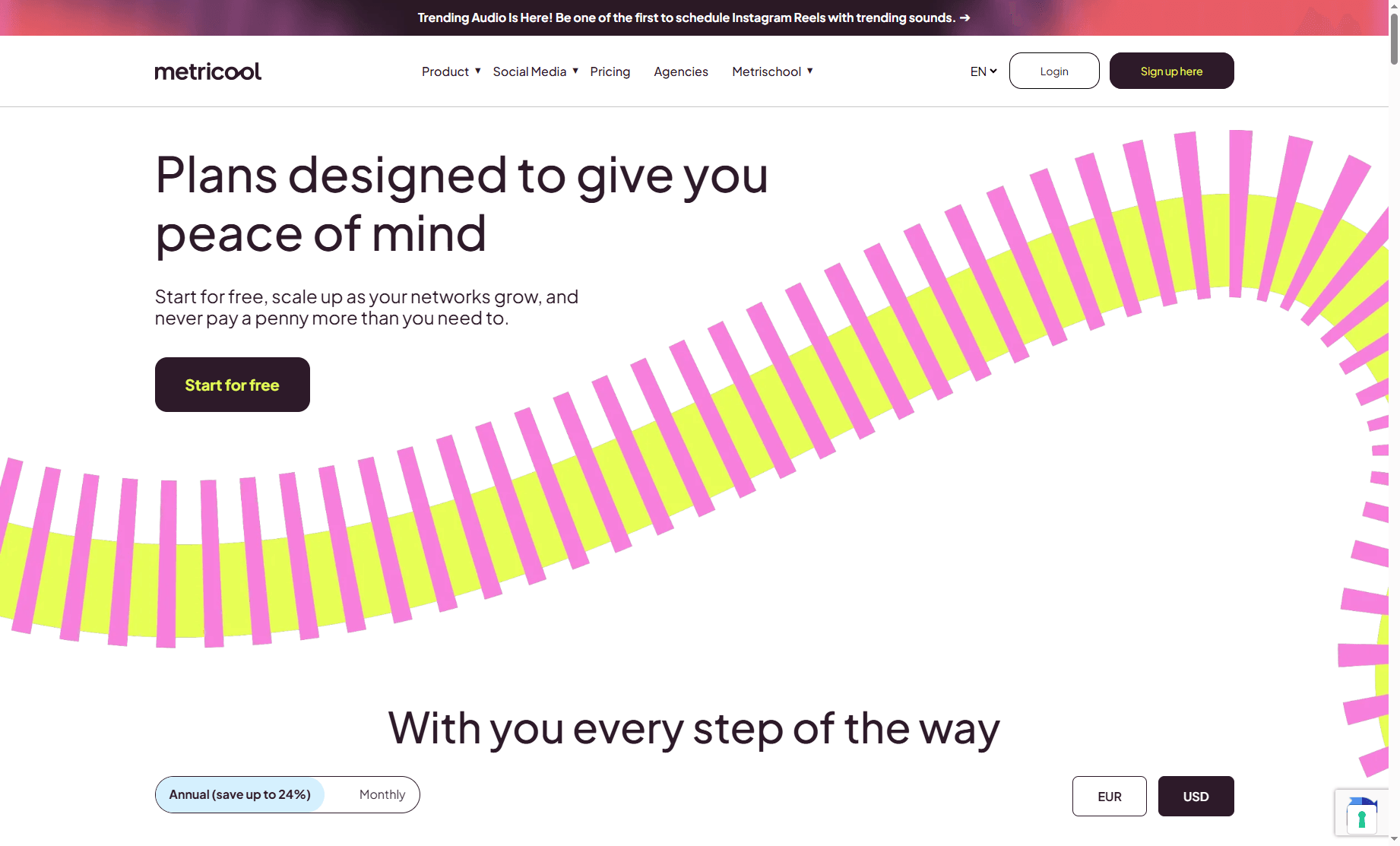
Upgrade path: According to Metricool's official pricing page (updated 2026), the Starter plan (5 brands) starts at €18/month (~$19/month), or €168/year (€14/month if paid annually).
4. Iconosquare (14-Day Free Trial)
Price: Free trial, then $26/month
Best for: Testing advanced analytics before committing
Iconosquare is one of the most powerful Instagram analytics tools, and they offer a 14-day free trial with full access to all features.
What you get (during trial):
- Unlimited historical data
- Deep Instagram-specific analytics
- Competitor tracking
- Audience insights
- Content recommendations
- Customizable reports
Limitations:
- Only 14 days free
- Requires credit card to start trial
Verdict: If you're considering a paid tool, use the 14-day trial to see if it's worth the investment. But it's not a long-term free solution.
5. EagleReels (Chrome Extension)
Price: Free (basic features)
Best for: Reels-focused creators and competitor tracking
EagleReels is a Chrome extension specifically designed for tracking Instagram Reels performance—both your own and your competitors'.
What you get:
- Reels performance tracking (views, engagement, completion rate)
- Historical data saved automatically
- Competitor Reels monitoring
- Engagement score calculation
- Works directly in your browser (no separate dashboard)
Limitations:
- Focused on Reels only (not full Instagram analytics)
- Requires Chrome browser
- Some advanced features may require upgrade
Verdict: If your Instagram strategy is Reels-heavy, this is a great free tool to track performance over time and spy on what's working for competitors.
When Should You Upgrade to a Paid Tool?
Free tools are great—until they're not. Here's when you know it's time to upgrade:
1. You Need Long-Term Historical Data
Running a business? Managing clients? You need more than 90 days of data. Way more. Paid tools like Iconosquare, Sprout Social, and Later give you unlimited history.
Cost: $25-50/month for most tools
2. You Manage Multiple Accounts
If you're managing more than one Instagram account (multiple brands, clients, or personal + business), free plans won't cut it.
Solution: Metricool Starter (5 brands) at €18/month or Later's Growth plan at $40/month.
3. You Need Competitor Tracking
Instagram's native Competitive Insights feature (launched in early 2026) lets you track up to 10 competitors, including their growth rates, posting frequency, and engagement data. As covered in StoryChief's 2026 guide, this feature is available to all Business and Creator accounts, but it's still limited by the 90-day data window—making it useful for short-term competitor monitoring but insufficient for long-term trend analysis.
For serious competitor analysis, you need a paid tool that tracks:
- Competitor growth rates over time
- Their best-performing content
- Posting frequency and timing
- Engagement rate benchmarks
Best tools: Social Status, Iconosquare, Sprout Social
4. You Need Team Collaboration
If you're working with a team (content creators, designers, managers), you need approval workflows, role-based permissions, and shared calendars.
Best tools: Sprout Social, Later, Hootsuite
5. You Want Automated Reporting
Manually pulling data from Instagram Insights every week is a time sink. Paid tools can generate automated reports and send them to clients or stakeholders.
Best tools: Social Status, Iconosquare, Sprout Social
How to Choose the Right Free Instagram Analytics Tool
Not sure which tool to pick? Here's the quick version:
If you're just starting out:
→ Use Instagram Insights. It's free, built-in, and covers the basics.
If you manage Instagram + Facebook:
→ Use Meta Business Suite. It's free and gives you cross-platform analytics.
If you want to save your data long-term:
→ Use Metricool Free Plan. It starts saving your data from the day you connect, so you won't lose it after 90 days.
If you're focused on Reels:
→ Use EagleReels. It tracks Reels performance and competitor activity specifically.
If you're considering a paid tool:
→ Start with Iconosquare's 14-day trial to see if advanced analytics are worth the investment.
Free vs. Paid: What's Actually Worth Paying For?
Real talk: most creators don't need a $50/month analytics tool. Seriously. But if you do need to upgrade, here's what's actually worth your money:
This aligns with advice from the r/SocialMediaMarketing community, where experienced marketers recommend: "Pick one solid scheduler that posts across platforms and gives basic analytics. Use native ad managers for paid stuff. Practical tip: do a 30-day trial before committing." This approach helps you avoid paying for overlapping features across multiple tools.
Worth paying for:
- ✅ Unlimited historical data (if you're running a business)
- ✅ Competitor tracking (if you're in a competitive niche)
- ✅ Multi-account management (if you're an agency or manage multiple brands)
- ✅ Automated reporting (if you have clients)
Not worth paying for:
- ❌ Basic metrics (Instagram Insights already gives you this)
- ❌ Fancy dashboards (unless you're presenting to clients)
- ❌ AI recommendations (most are generic and not actionable)
Common Questions About Free Instagram Analytics Tools
Can I track competitors with free tools?
Yes—kind of. Instagram's Competitive Insights (new in 2026) lets you track up to 10 competitors for free. The catch? Still limited to 90 days. For long-term competitor tracking, you'll need a paid tool like Social Status or Iconosquare.
Metricool's free plan offers limited competitor tracking, but it's not as comprehensive as paid options.
How do I export my Instagram data?
Instagram Insights doesn't allow data export. To export your data, you need a third-party tool like:
- Metricool (free plan allows basic exports)
- Iconosquare (paid)
- Sprout Social (paid)
What's the best free tool for agencies?
Honestly? There isn't one. If you're managing multiple clients, you need a paid tool. The cheapest option is Metricool's Starter plan (5 brands) at €18/month.
Do free tools have access to the same data as Instagram Insights?
Yes and no. Free tools use Instagram's official API, so they have access to the same data as Instagram Insights. However, Instagram limits what third-party tools can access (for example, some Story metrics are only available in Instagram Insights).
Can I use multiple free tools at the same time?
Absolutely. Many creators use:
- Instagram Insights for real-time data
- Metricool for long-term data storage
- EagleReels for Reels-specific tracking
There's no rule against using multiple tools—just make sure you're not duplicating effort.
Final Verdict: Which Free Instagram Analytics Tool Should You Use?
So what's the verdict?
For most creators: Start with Instagram Insights and Metricool Free Plan. Instagram Insights gives you real-time data, and Metricool saves your historical data so you don't lose it after 90 days.
For Reels creators: Add EagleReels to track Reels performance and competitor activity.
For agencies/businesses: Free tools won't cut it. Invest in a paid tool like Iconosquare ($26/month) or Metricool Starter (€18/month for 5 brands).
For people considering paid tools: Use Iconosquare's 14-day free trial to test advanced features before committing.
The key is to start with free tools and upgrade only when you hit their limitations. As social media analytics expert and Zaap.ai contributor notes in their 2026 guide: "The best analytics tool is the one you actually use consistently. Start with Instagram's native tools, add one third-party tool for data preservation, and only upgrade when you have a specific need that free tools can't meet—like managing multiple clients or needing year-over-year comparisons."
Don't pay for features you don't need.
Take Action: Set Up Your Free Analytics Stack Today
Ready to get started? Here's what to do right now:
- Switch to a Business or Creator account (if you haven't already) to unlock Instagram Insights
- Connect your account to Metricool to start saving your data permanently
- Install EagleReels (if you post Reels regularly) to track performance over time
- Set a reminder to check your analytics weekly and adjust your content strategy
The best analytics tool? The one you'll actually use. Start simple. Track what matters. Upgrade when you hit a wall. That's it.
Related Articles:
Ready to track your Instagram Reels performance?
Download EagleReels Chrome extension and start analyzing your Reels today. It's free!
Download EagleReelsRelated Articles

Free Instagram Reels Tracker Tools Compared (Privacy & Limits)
Compare free Instagram Reels tracker tools for 2026—Chrome extensions, Insights limits, CSV export, competitor tracking, and local privacy.
Instagram Reels Algorithm 2026: Complete Guide
Instagram Reels algorithm changed in 2026. Learn the 3 major updates, 5 ranking factors, and 2-stage distribution system. Optimize for 5-10x more reach.

Instagram Follower Tracker: Monitor Growth & Analytics 2026
Discover the 5 best Instagram follower tracker tools in 2026. Compare features, pricing, and find the perfect tool to monitor your growth, track unfollowers, and analyze engagement.