Instagram Reels Analytics for Agencies: Lightweight Competitor Workflow
Instagram Reels analytics for agencies—a lightweight competitor workflow with CSV exports, client benchmarks, free tools, and no heavy SaaS stack.

Agency pitches still say "Reels strategy," but clients remember evidence: which competitor clips gained traction, what format repeated, and what you recommend testing next week. Full social suites are overkill when the brief is short-form competitive intelligence—not ads, not listening, not a twelve-tab dashboard per seat.
Below: Instagram Reels analytics for agencies as a lightweight competitor workflow—small tool stack, repeatable weekly ritual, CSV handoff, and benchmarks clients can read without logging into your vendor cloud.
What agencies actually need from Reels analytics
Client conversations mix vanity metrics with useful signals. For agency Reels work, prioritize outputs that change creative decisions:
| Need | Why clients care | Heavy SaaS required? |
|---|---|---|
| Competitor Reels rankings | Shows what formats win in-niche | Often no |
| Momentum between weeks | Proves "what's rising now" | Rare in native IG |
| Exportable tables | Email, slides, Notion, data room | No if CSV exists |
| Cohort benchmarks | Context vs. rival set | Spreadsheet + tracker |
| Owned-account Insights | Distribution, saves, shares | In-app (client login) |
You do not need every module in an enterprise platform if the SOW is "monitor competitor Reels and brief creative." You need consistency, exports, and clear scope (public data only).
Lightweight stack (three layers)
Layer 1 — Client-owned Insights (their account)
For the client's own Reels, stay in Instagram Insights when you have access:
- Plays, reach, likes, comments, saves, shares
- Follower vs. non-follower reach
- Retention curves on recent uploads
Agencies should not rebuild owned-account analytics in a third-party tool unless the client already pays for one. Your lightweight stack focuses on rivals.
Layer 2 — Competitor Reels tracker (browser)
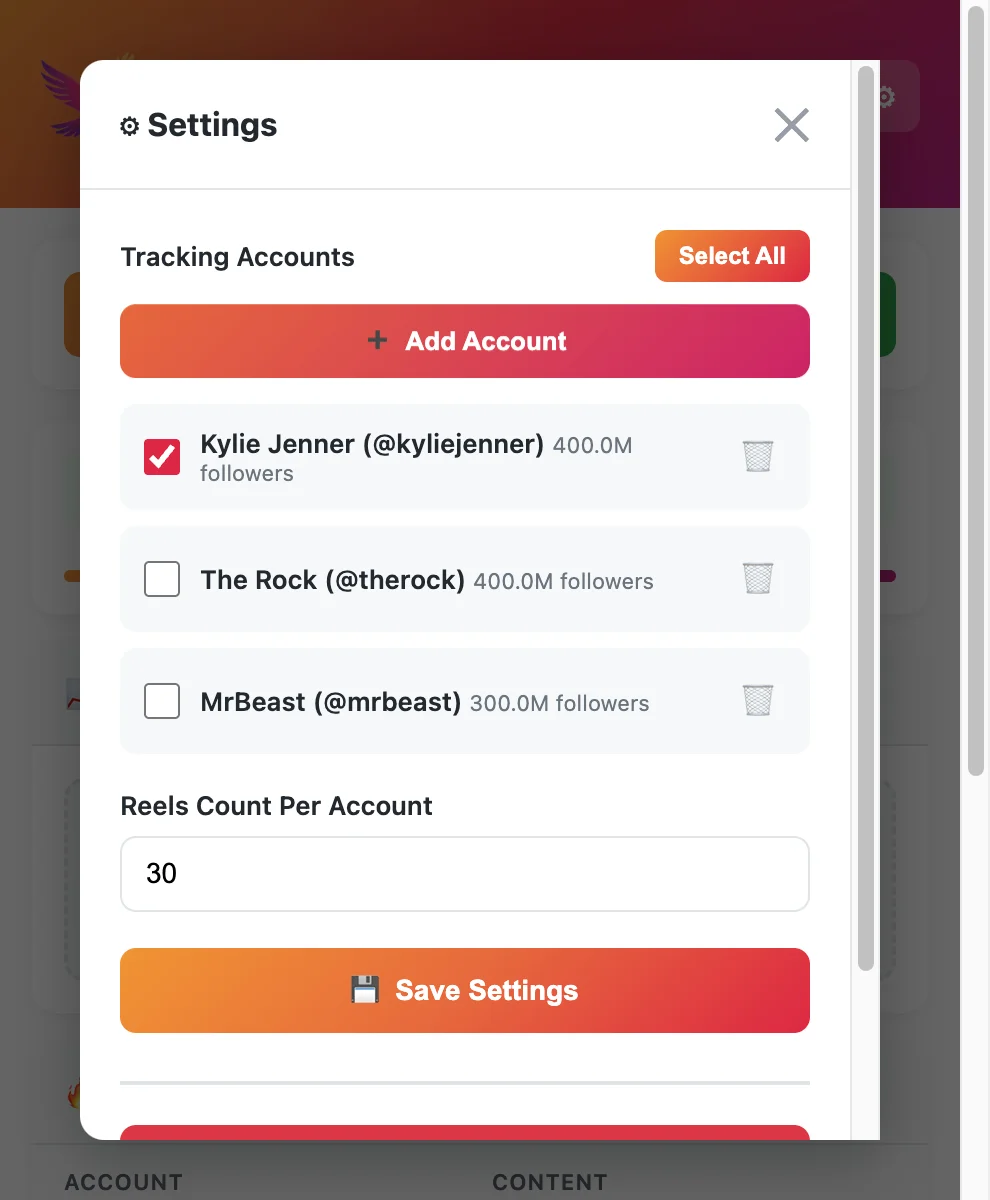
Use a Reels-first Chrome extension or panel tool to:
- Monitor 5–15 public competitor handles per client niche
- Sort by views and growth between updates
- Export ranked rows for the account manager
Compare options in free Instagram Reels tracker tools—EagleReels, IShort, and Sort Feed cover most lean-agency needs.
Layer 3 — Spreadsheet scorecard (your IP)
Store exports in a client folder:
YYYY-MM-DD_competitor-baseline.csvYYYY-MM-DD_weekly-update.csv- One benchmark tab (see benchmark Reels against competitors)
The spreadsheet is where you translate rows into three bullet recommendations—not another SaaS bill.
Client onboarding: scope in one page
Send a one-pager before the first scan:
- Competitor list — Client approves 8–12 handles (no aspirational celebrities unless relevant).
- Public-only — Private accounts are out of scope.
- Update cadence — Weekly default; twice weekly for launch windows.
- Deliverable format — CSV + three insights + optional Loom; not raw tool screenshots.
- Data retention — How long you keep competitor exports (90 days is a common agency default).
- Tool disclosure — Third-party tools are not Meta; no password sharing via extensions.
This prevents scope creep into "track every influencer in the category."
Weekly agency workflow (45–60 minutes per client niche)
Monday — panel update (20 min)
- Open your tracker panel; run Update on all handles in the niche.
- Sort by view growth rate (or best available momentum metric).
- Flag top 5 rising Reels posted in the last 14 days.
- Note cross-account patterns (same hook on 2+ rivals).
Tuesday — qualitative pass (15 min)
Watch flagged Reels muted-first (hook study):
- Hook type, length bucket, CTA, audio class
- Whether breakout fits client's brand constraints
Wednesday — export and file (10 min)
Follow your export Instagram Reels data to CSV standard:
- One dated export per client niche
- File naming convention enforced
- Drop into shared drive / Notion
Thursday — benchmark tab (10 min)
Update the scorecard from how to benchmark Reels against competitors:
- Median views on top-10 competitor posts
- Client's last 5 Reels vs. median (if you have their Insights)
- "Gap" column: format or cadence hypothesis
Friday — client snippet (5 min)
Email or Slack three bullets:
- Rising competitor format (with link)
- Recommended test for client channel
- One metric chart or table paste from CSV
Clients pay for clarity, not row count.
Tip
Agency tip: Batch niches—run all food-and-bev clients' updates in one browser block, then all beauty, etc. Agency operators in r/socialmedia report context switching costs more than the export click.
CSV export for client reports
Spreadsheets are the lingua franca of agency handoffs. Your export should include at minimum:
| Column | Purpose |
|---|---|
| Account handle | Filter per client niche |
| Reel URL | Click-through for creative |
| Post date | Recency filter |
| Views (snapshot) | Level context |
| Views delta / growth rate | Momentum story |
| Likes, comments | Engagement shape |
| Notes | Strategist qualitative field |
Step-by-step export habits (column hygiene, version control, redaction) are in export Instagram Reels data to CSV. Treat each export as a dated artifact, not a living database—clients understand "as of Thursday."
Benchmarking without bloating the SOW
Benchmarks answer: "Is our client roughly competitive on Reels performance for this cohort?"
Lightweight rules:
- Compare similar-sized rivals (within ~3× follower count).
- Use median of top 10 competitor Reels by views, not the single viral outlier.
- Track growth rate leaders separately from lifetime leaders.
- Revisit cohort quarterly—niches shift.
Full scorecard templates live in benchmark your Reels against competitors. The agency twist is one scorecard tab per client, same structure every week so account managers do not reinvent the wheel.
Tool selection for agency teams
| Scenario | Recommendation |
|---|---|
| 1–3 clients, casual monitoring | Sort-on-tab extension + manual CSV |
| 5+ clients, same vertical | Panel tracker + batched exports |
| Enterprise client already on SaaS | Use their suite for owned; extension for Reels rivals |
| Pitch-heavy new business | Baseline export before proposal meeting |
Start from free Instagram Reels tracker tools before adding seats to a cloud platform. Many agencies run Insights + one extension + Google Sheets for years.
Roles and handoffs
| Role | Owns |
|---|---|
| Strategist | Competitor list, pattern notes, test recommendations |
| Account manager | Client email, cadence, export filing |
| Creative lead | Hook references from flagged URLs |
| Data-conscious lead | Privacy review, retention policy |
Junior staff can run updates; strategists should approve anything that becomes a content pivot, not just a single viral clip.
Pricing and packaging Reels intelligence
Common packaging patterns:
- Included in retainer — Weekly competitor Reels pulse (lightweight)
- Add-on audit — Baseline export + benchmark scorecard + workshop
- Launch sprint — Twice-weekly updates for 30 days
Charge for judgment and cadence, not for "we have a tool." Tools are COGS; the scorecard narrative is the product.
Risks agencies should disclose
- Public data only — No private competitor metrics.
- Point-in-time exports — Views change; date every file.
- Not official Meta analytics — Footers on slides.
- Free tier caps — May limit accounts per month; plan paid tier before enterprise clients.
- Originality and brand safety — Competitor virality ≠ right fit for regulated clients.
Scaling to multiple clients without scaling headcount
- Standardize the scorecard — Same columns for every client.
- Template the Friday email — Three bullets, always.
- Batch updates by vertical — Reduces browser context switching.
- Library of patterns — "Question hook + demo" wins in SaaS niches Q2—reuse across pitches.
- Review tool stack annually — Do not add SaaS seats when CSV + extension still satisfies SOW.
When a client demands real-time alerts or owned-account history beyond Insights, then evaluate SaaS—until then, stay lightweight.
Sample client deliverable (what "good" looks like)
A lightweight Reels analytics deliverable should fit on one screen:
Subject: [Brand] Reels competitor pulse — week of June 2
Rising formats (competitor evidence)
- AcmeCo — 22s ingredient callout Reel (+38K views since last check); same hook on RivalB (+21K).
- RivalC — POV unboxing series; three posts in top growth decile this week.
Recommended test for [Brand]
- One 20s ingredient callout using your SKU #4; question hook in first second.
- Control: existing talking-head format on same offer.
Benchmark note
- Cohort median top-10 views: 52K; your last Reel: 31K plays (client Insights). Gap is format packaging, not posting cadence.
Attach the dated CSV in the drive link footnote. Stakeholders get decisions; strategists keep the rows.
New business pitches: Reels audit in 48 hours
When prospects ask "do you do Reels?", offer a 48-hour public audit:
| Hour block | Task |
|---|---|
| 0–4 | Approve 8 competitor handles; baseline panel update |
| 4–8 | Export CSV; top 10 growth-rate + top 10 lifetime |
| 8–12 | Pattern notes + 3 test hypotheses |
| 12–24 | One-page scorecard from benchmark guide |
| 24–48 | Deck slide + Loom walkthrough |
You are not promising results—you are demonstrating process. Wins pitches without committing to a year of SaaS spend upfront.
Handoff when the client buys full strategy
If the audit converts to retainer:
- Move competitor list from pitch doc to signed SOW appendix.
- Assign account owner for Friday emails; strategist owns pattern log.
- Store exports in client folder with retention dates.
- Revisit tool tier after 90 days—upgrade only if free caps block delivery.
Document the first month in the same CSV format so reporting stays comparable when the team scales.
FAQ
Frequently Asked Questions
Where to start
Instagram Reels analytics for agencies does not require a heavyweight platform for every retainer. Pair client Insights with a competitor tracker, CSV exports, and a repeatable benchmark scorecard. Standardize the weekly ritual, ship three clear insights, and charge for strategy—not logins.
Pick tools from the free Reels tracker comparison, run one client niche end-to-end this week, and templatize what works before you add SaaS seats.
Need multi-account panels with growth-rate export? Install EagleReels free from the Chrome Web Store.
Last updated: June 5, 2026. EagleReels is not affiliated with Instagram or Meta. Tool limits and client compliance requirements vary—verify before enterprise engagements.
Related articles:
Ready to track your Instagram Reels performance?
Download EagleReels Chrome extension and start analyzing your Reels today. It's free!
Download EagleReelsRelated Articles

Export Instagram Reels Data to CSV for Client Reports
Step-by-step guide to export Instagram Reels data to CSV for client reports—columns, naming, tool workflows, agency templates, and privacy-safe habits.

Instagram Competitive Insights: What It Misses and What to Use Instead
Instagram Competitive Insights explained: setup steps, real limitations (90-day window, no Reels velocity), and better tools for competitor Reels tracking.

Data-Driven Instagram Reels Content Strategy (Competitor Data)
Build a data-driven Instagram Reels content strategy using competitor data—tracking workflows, growth signals, test calendars, and tools that beat guesswork.