Sort Instagram Reels by Views and Growth: Tools Compared
Learn how to sort Instagram Reels by views, compare Chrome extensions and free tools, and spot growth momentum—not just all-time top videos.

On a competitor's profile, Instagram still will not sort Reels by views for you. Your own Reels tab is scroll-only unless you open each clip or dig through Insights—and even then you do not get a ranked export of someone else's public grid.
That is why sort instagram reels by views shows up in creator searches: people want browser tools and lightweight extensions that rank plays, engagement, and—when possible—what picked up speed since last week. This guide compares the main options for 2026, walks through a six-step workflow, and flags where lifetime views lie to you.
Why sorting Reels by views is baseline research
If you never benchmark rivals, sorting sounds optional. For format scouting it is not:
- Template hunting — The top-view Reel on an account is often an old viral clip, not the hook working this month.
- Client decks — Agencies need ranked tables or CSV rows, not a scrolling grid screenshot.
- Weekly niche audits — Twenty manual tabs do not scale.
- Exports — Sorting is step one; archiving rows for next week is step two (see our live free Reels tracker tools roundup for export limits).
Note
The in-app Reels grid order on someone else's profile is not a global sort by view count. Extensions read visible public data on the Reels tab and apply their own ranking.
Quick comparison: tools that sort Reels by views
| Tool | Type | Sort by views | Other sort keys | Multi-account | Export | Best fit |
|---|---|---|---|---|---|---|
| Instagram Insights | In-app | Your Reels only | Date, reach | No | No CSV | Your own baseline |
| IShort | Chrome extension | Yes | Engagement, trends | One profile at a time | CSV (tiered) | Fast single-profile sorts |
| Sort Feed | Chrome extension | Yes | Custom formulas | Profile-by-profile | Spreadsheet | IG + TikTok researchers |
| EagleReels | Chrome extension | Yes | View growth rate | Multi-account panel | CSV / HTML | Weekly rival scans |
| InstantDM Feed Sort | Web tool | Yes | Limited | Single workflows | CSV | Quick test without install |
| MediaSort / Metly | Web / extension | Yes | Varies | Varies | Varies | Alternate UIs |
How to sort Instagram Reels by views (step-by-step)
These steps match most Chrome extensions on the public Reels tab. Button labels vary by vendor.
Step 1: Log into Instagram in your browser
Extensions use your logged-in session to load public Reels metrics. You are reading what is visible on the page—not bypassing privacy on private accounts.
Step 2: Open the profile Reels tab
Go to instagram.com/{username} → Reels. Wait for the full grid before sorting.
Step 3: Open your sorting extension
Pin IShort, Sort Feed, EagleReels, or similar, and launch its panel on the Reels view.
Step 4: Sort by views (descending)
Surface top lifetime plays first. If the tool exposes engagement rate or likes per view, run a second pass—you want quality signals, not raw plays alone.
Step 5: Export or snapshot with a date
CSV when available. Note the export date; viral clips change hourly.
Step 6: On the next visit, sort by growth
Lifetime views keep old hits on top. Re-run the sort by view growth rate or compare against last week's export. EagleReels stores multi-account panels for that second pass.
In r/InstagramMarketing competitor Reels threads, the usual stack is sort → shortlist → brief the team—hand-copying view counts breaks down once you are past a dozen clips per week.
Total views vs. growth: what sorting misses
| Question | Sort by total views | Track growth between visits |
|---|---|---|
| Biggest Reel ever? | Yes | Old virals stay on top |
| Breakout this week? | Easy to miss | Surfaces on velocity |
| Competitor scouting | All-time winners | Trend spotting |
| Reporting | Simple rank table | Needs dated CSV history |
Pair view sorting with a growth-rate habit when scouting formats—not only when reporting lifetime champions. See our guide on how to track Reels view growth rate for multi-visit workflows and tool comparisons.
Tool notes (honest trade-offs)
IShort
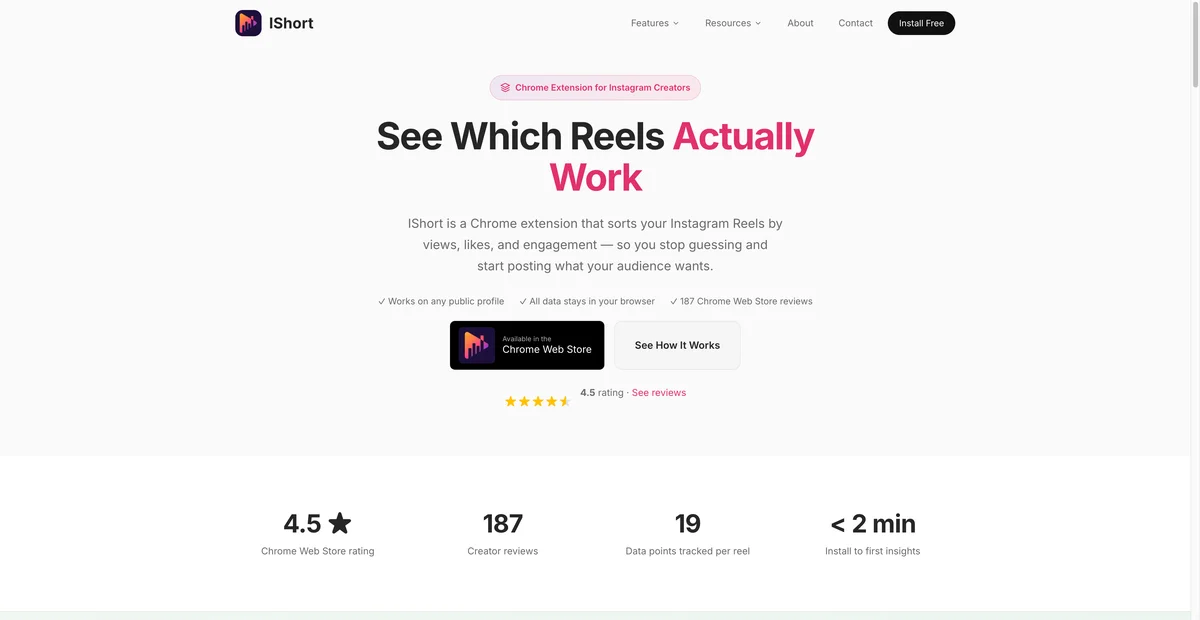
IShort on the Chrome Web Store is the default answer when someone literally wants to sort instagram reels by views on a public profile. Fast columns, engagement scores, CSV on paid tiers. Trade-off: mostly one account at a time; confirm export caps on the listing before client work.
Sort Feed
Sort Feed suits spreadsheet users who rank Instagram and TikTok in one pass. Paid tiers gate heavy exports—check pricing before you promise weekly drops.

EagleReels
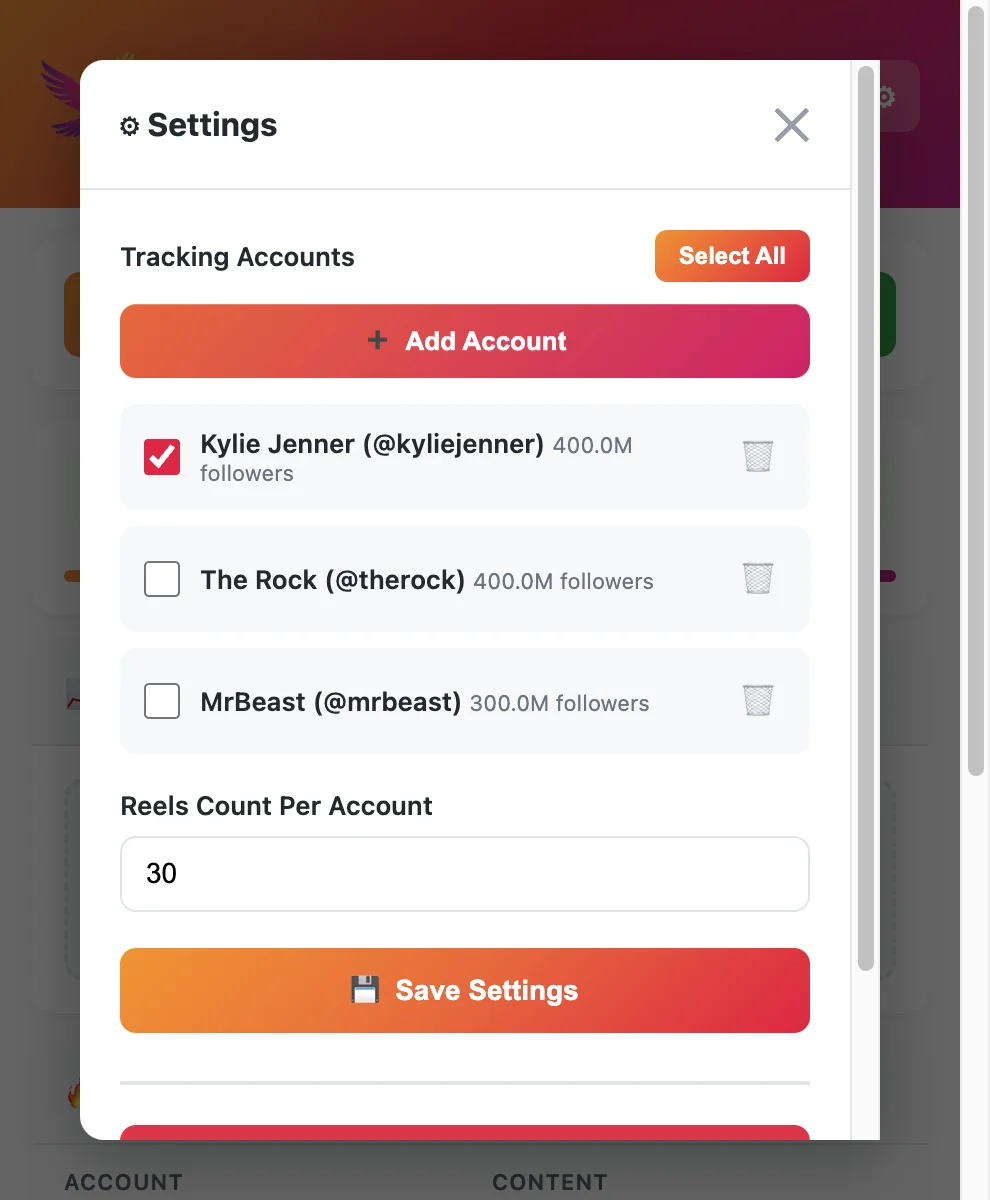
EagleReels keeps multi-account competitor lists and sorts by view growth rate beside raw views—fewer tab hops when you monitor several rivals every Monday. Data stays local-first; free tier caps accounts/Reels (verify on site).
InstantDM Feed Sort
InstantDM's feed sort tool works without installing an extension. Fine for a one-off test; thin for ongoing panels.
Instagram Insights (your account)
Instagram Insights is authoritative for your plays and reach. It does not rank a competitor's Reels grid.
Sorting vs. Competitive Insights
Meta's Instagram Competitive Insights shows account-level peer trends—it does not replace a Reels-tab sort for hook research. Native benchmarking is useful; per-Reel ranked exports still need a browser tool. See Instagram Competitive Insights limitations for setup steps and when to add Reels-focused extensions.
Tips for cleaner weekly sorts
- Same weekday, same time — View counts drift; fixed timing makes exports comparable.
- Name files
rivalA_reels_2026-06-05.csv, notexport(3).csv. - Flag spikes — A 40% jump in 48 hours deserves a storyboard note, not only a rank cell.
- Pair with strategy — Sorting informs hooks; see how to increase Reels views and growth strategy for 2026.
FAQ
Frequently Asked Questions
Where to start
Sort instagram reels by views when you need a fast public-profile rank. Add growth-aware re-sorts when you care what is climbing now. Keep Insights for your own clips; use extensions for rivals and exports.
For tool limits and privacy models, start with the free Instagram Reels tracker tools hub—we wrote it as the wider comparison; this page is the how-to for sorting specifically.
EagleReels on the Chrome Web Store — multi-account panel, growth-rate sort, local storage.
Last updated: June 5, 2026. EagleReels is not affiliated with Instagram or Meta. Vendor features and pricing change—confirm on product pages before client workflows.
Related articles:
Ready to track your Instagram Reels performance?
Download EagleReels Chrome extension and start analyzing your Reels today. It's free!
Download EagleReelsRelated Articles

Best Chrome Extensions for Instagram Reels Analytics in 2026
Compare the best Chrome extensions for Instagram Reels analytics in 2026—sorting, growth rate, exports, privacy, and which extension fits creators vs. agencies.

How to Benchmark Your Reels Against Competitors (Step-by-Step)
Benchmark reels against competitors with a repeatable scorecard, growth-rate tracking, CSV exports, and a weekly review ritual—without guessing from screenshots.

Instagram Reels Competitor Tracker: How to Monitor Rivals in 2026
Learn how an Instagram Reels competitor tracker works—weekly workflow, tools compared, metrics to watch, and alternatives when Competitive Insights is not enough.