Best Chrome Extensions for Instagram Reels Analytics in 2026
Compare the best Chrome extensions for Instagram Reels analytics in 2026—sorting, growth rate, exports, privacy, and which extension fits creators vs. agencies.

Most Instagram analytics suites were built for account managers staring at follower charts—not creators who live on the Reels tab. If you sort rival clips, export ranked posts, or need to see which Reel gained views this week, a Chrome extension for Instagram Reels analytics beats opening another dashboard.
Below: the strongest Reels-focused extensions in 2026—what each does well, where free tiers stop, and how to pick between one profile at a time vs. many competitors in a panel.
Why a Reels analytics Chrome extension (vs. in-app Insights)
Instagram Insights remains the right baseline for your distribution sources, saves, and shares. It does not help when you need to:
- Sort a competitor's public Reels by views or engagement
- Compare multiple handles without opening fifteen tabs
- See momentum between visits (growth since last scan)
- Export a table for a creative brief or client email
Extensions run in the browser while you are already on instagram.com. They read public Reels pages through your logged-in session—no separate API key, no waiting for a cloud crawl to finish.
Trade-offs are real: you need Chrome (or Chromium), a stable Instagram login in that profile, and respect for each tool's free limits. For a wider tool landscape—including SaaS options—see free Instagram Reels tracker tools.
What to look for in a Reels Chrome extension
Use the same checklist power users repeat in r/InstagramMarketing when they ask for "IG Reels analytics extension" recommendations:
| Criteria | Why it matters |
|---|---|
| Reels-tab focus | Feed-wide tools miss short-form ranking |
| Sort dimensions | Views, likes, comments, date, engagement rate |
| Multi-account workflow | Panel beats profile-by-profile for rivals |
| Update history / growth | Spots breakouts; lifetime sort hides them |
| Export | CSV or HTML for reporting |
| Privacy model | Local storage vs. vendor cloud |
| Store listing hygiene | Official Chrome Web Store, clear permissions |
Avoid extensions that ask for your Instagram password inside the popup, request unrelated host permissions, or promise private metrics—they are not credible for legitimate competitor research.
Quick comparison: Reels analytics extensions (2026)
| Extension | Best for | Multi-account panel | Growth / momentum | Export | Privacy emphasis | Free tier notes |
|---|---|---|---|---|---|---|
| EagleReels | Competitor monitoring + growth rate | Yes | View growth rate between updates | CSV / HTML report | Local-first | Account/Reels caps on free |
| IShort | Sort any public Reels tab | Profile-by-profile | Engagement score, trends | CSV (tiered) | Browser-local | Trial; export limits |
| Sort Feed | Sort + research across IG/TikTok | Per session | Custom formulas | Spreadsheet export | Mixed | Paid for heavy export |
| SuperStats | Deep post-level scans | Yes (broader IG) | Ranking dashboards | Reports | Local | Heavier UI; not Reels-only |
| Ninja Analytics (category) | Account snapshots | Varies | Often account-level | Varies | Cloud common | Check Reels granularity |
Exact caps change—verify on each Chrome Web Store listing before you commit a client workflow.
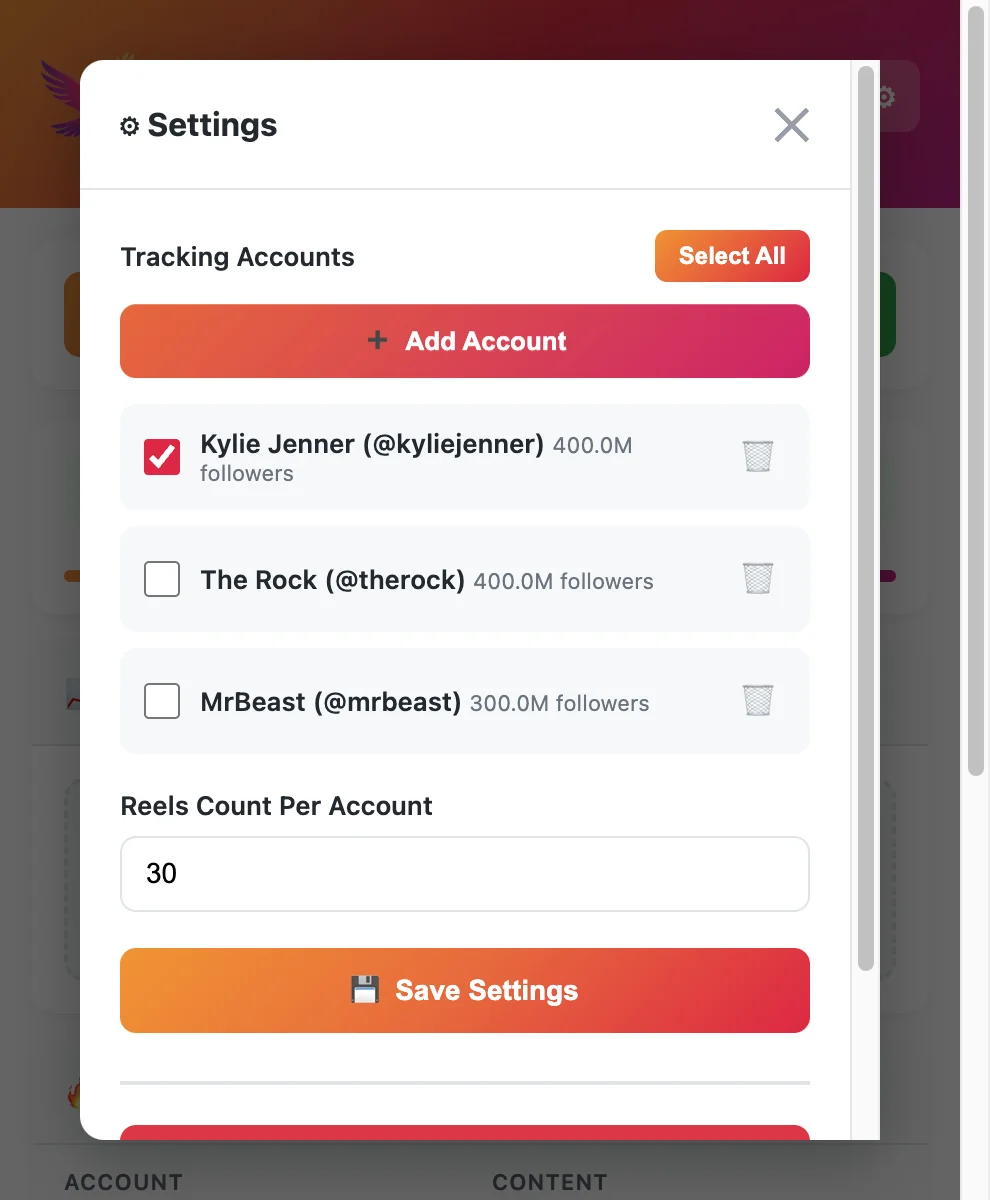
1. EagleReels — multi-account Reels panel and growth rate
EagleReels targets operators who track several competitor accounts in one extension panel. Add public handles, run an update pass, and sort by view growth rate—which Reels gained the most views since the last check—not only which has the highest lifetime count.
Strengths
- Built for competitor Reels workflows, not generic profile stats.
- Local storage orientation for teams sensitive to client data leaving the browser.
- CSV / HTML export for weekly reviews.
Fits: Creators, social leads, and lean agencies monitoring 5–15 rivals on a schedule.
Limits: Free tier caps accounts and Reels volume; heavy export users may need paid tiers. Requires an active Instagram session in the same browser.
For a head-to-head with the most common alternative, read EagleReels vs IShort.
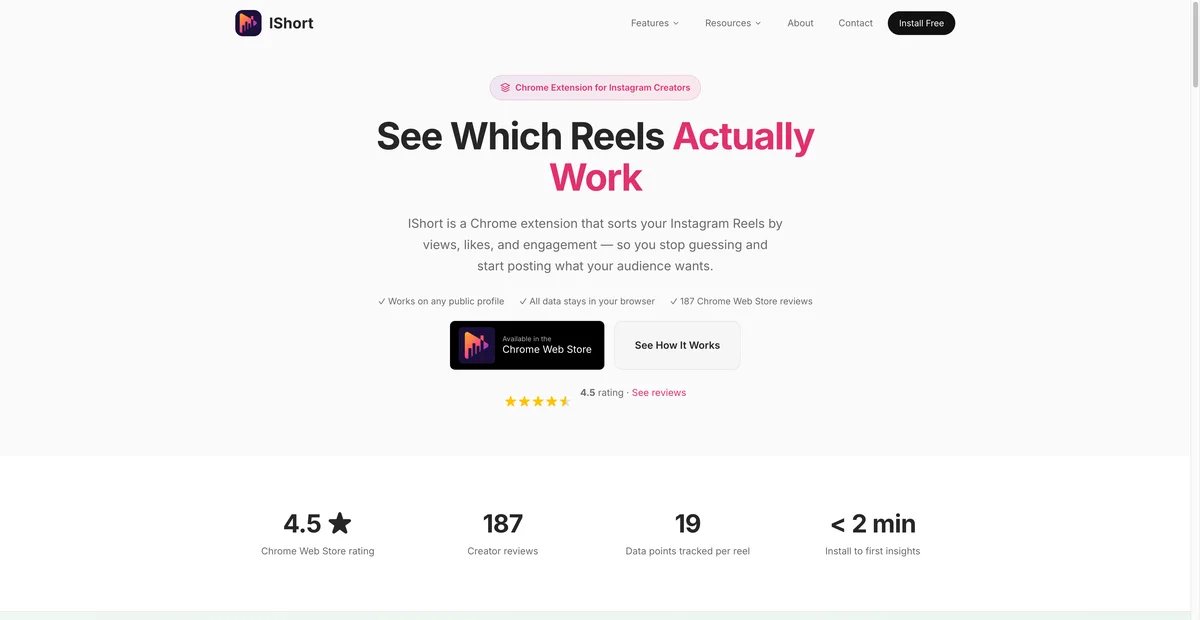
2. IShort — sort and score on the Reels tab you are viewing
IShort is widely used to sort Instagram Reels by views, likes, comments, engagement rate, duration, and post date directly on the profile you have open.
Strengths
- Fast "what performed on this account" audits.
- Engagement scoring and trend views on the active tab.
- Familiar install path for solo creators.
Fits: One-account deep dives, posting-time experiments, and quick leaderboards before you film.
Limits: Workflow is profile-by-profile unless you build your own spreadsheet discipline. Export and premium features often sit behind trial or paid tiers—confirm current free caps on the store listing.
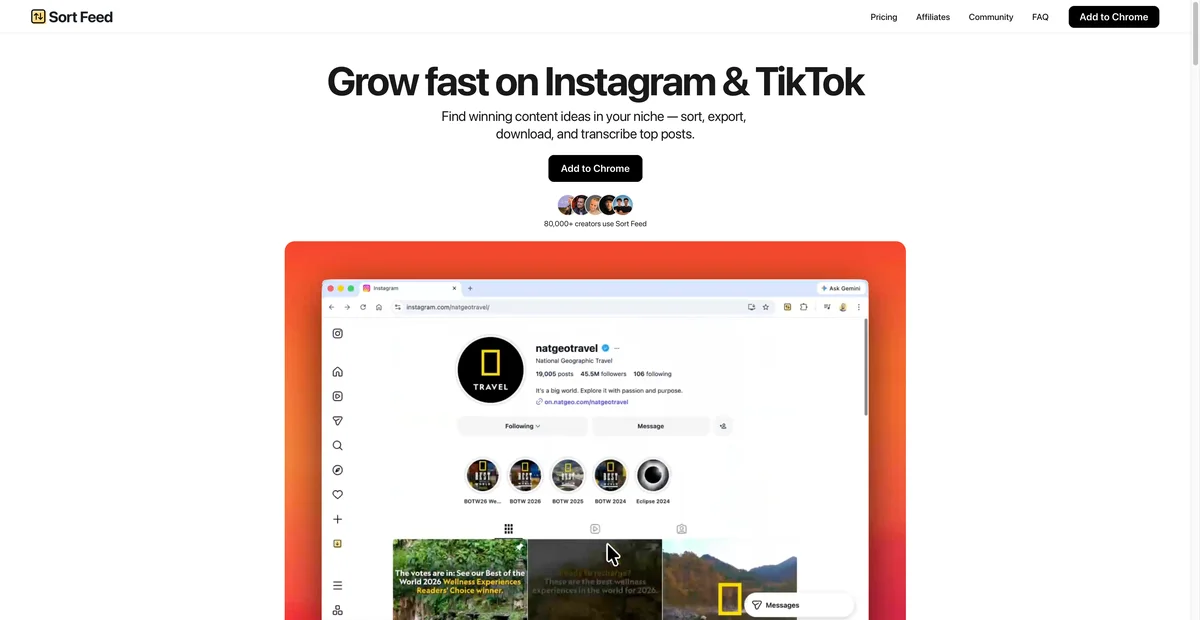
3. Sort Feed — cross-platform sort and export
Sort Feed appeals to researchers who want sortable grids, exports, and sometimes TikTok in the same research session—not only Instagram Reels.
Strengths
- Strong export orientation for swipe files and content research.
- Flexible sorting and date filters for niche scouting.
Fits: Teams building large reference libraries across platforms.
Limits: If you only need Instagram Reels competitor velocity, a Reels-first extension may be simpler. Paid plans apply for high export volume.
4. SuperStats and "analytics suite" extensions
Tools like SuperStats (and similar post-level scanners) go wider than Reels: feeds, carousels, ranking dashboards. They help when you want dense post tables across content types.
Strengths
- Rich sorting on public posts.
- Useful when Reels are only part of a wider competitive audit.
Fits: Marketers who benchmark all public content, not Reels-only strategy.
Limits: UI complexity and feature breadth can slow a Reels-only weekly ritual. Confirm Reels-tab behavior before adopting for short-form-only clients.
How to choose: decision matrix
| Your job | Start here |
|---|---|
| Track 5+ competitors weekly | EagleReels or panel-style tracker from free Reels tracker comparison |
| Audit one rival before pitching | IShort or Sort Feed on their Reels tab |
| Client CSV reports + many accounts | EagleReels or Sort Feed + export habit |
| Only your own Reels | Instagram Insights first; extension optional |
| Brand vs. brand extension shootout | EagleReels vs IShort |
Note
Install safety: Add extensions only from the official Chrome Web Store, pin the icon, and use a browser profile where you already log into Instagram. Reputable Reels tools read public pages—they should not need your password inside the extension.
Setup in 10 minutes (any extension)
- Pick one primary extension — Splitting across three tools duplicates work.
- Install and pin — Reduces "forgot to run sort" failures.
- Log into Instagram in that browser profile.
- Run a baseline — Full sort or panel update on every account in your set.
- Export once — Store dated CSV even if you review in-app; future you will want the baseline.
- Calendar a re-check — Tuesday/Friday for fast niches; weekly for slower ones.
Extensions are not set-and-forget cron jobs—they depend on you opening Instagram and triggering an update. The win is speed and sort depth, not autonomous 24/7 monitoring.
Privacy, permissions, and client work
Agencies ask two questions first: Where does data go? and Will this break the client's account?
| Topic | Practical guidance |
|---|---|
| Data residency | Prefer extensions that document local processing; read privacy policy before client brands |
| Permissions | Reject broad unrelated host access |
| Account safety | No extension should need IG password; use official store builds |
| Compliance | You analyze public content; do not scrape private accounts or bypass terms |
| Affiliation | Third-party tools are not Meta products—say so in client footers |
When reporting, pair extension exports with your internal retention policy (how long you store competitor CSVs).
Chrome extension vs. SaaS Reels analytics
| Dimension | Chrome extension | Cloud SaaS |
|---|---|---|
| Setup | Minutes | Account linking, sometimes IG auth |
| Competitor Reels | Strong on public tabs | Varies; often paid competitive modules |
| Real-time alerts | Rare | Sometimes |
| Cost at small scale | Free tiers common | Subscriptions add up per seat |
| Workflow fit | Researchers on instagram.com daily | Reporting teams living in dashboards |
Many stacks are hybrid: Insights for owned content, extension for competitor Reels, SaaS when you need scheduling plus owned-account history.
Common mistakes when adopting a Reels extension
- Sorting once by lifetime views and calling it research—use growth between updates when available.
- No baseline export — You cannot prove "what changed" to a client.
- Mixing browsers — Instagram session and extension must share the same profile.
- Ignoring free caps — Hitting export limits mid-pitch is avoidable if you read tiers upfront.
- Tool hopping weekly — Pick one extension for 30 days, then evaluate.
2026 trends affecting extension value
Reels consumption keeps rising as a share of time on Instagram, which means more public clips to sort and more noise in any single feed scroll. Algorithm emphasis on originality and audience-selected topics means competitor monitoring should track format patterns, not only view totals—extensions that export caption/audio metadata columns help here.
Extensions do not replace strategy content. They supply evidence for decisions you still make in briefs and calendars.
FAQ
Frequently Asked Questions
Where to start
The best Chrome extension for Instagram Reels analytics in 2026 is the one that matches how you work: single-profile sorts (IShort, Sort Feed), wide post scanners (SuperStats-class tools), or multi-account competitor panels with growth rate (EagleReels). Start from the free Reels tracker tools comparison, run a 30-day ritual with one extension, and export baselines so your data is usable in briefs—not just pretty sorts in the browser.
Tracking several rivals weekly? Install EagleReels free from the Chrome Web Store.
Last updated: June 5, 2026. EagleReels is not affiliated with Instagram or Meta. Extension features and free-tier limits may change—verify store listings before client commitments.
Related articles:
Ready to track your Instagram Reels performance?
Download EagleReels Chrome extension and start analyzing your Reels today. It's free!
Download EagleReelsRelated Articles

How to Track Reels View Growth Rate (Not Just Total Views)
Learn how to track Reels view growth rate between visits—formulas, weekly workflow, tools, and why total views mislead competitor research.

How to Benchmark Your Reels Against Competitors (Step-by-Step)
Benchmark reels against competitors with a repeatable scorecard, growth-rate tracking, CSV exports, and a weekly review ritual—without guessing from screenshots.

Instagram Reels Competitor Tracker: How to Monitor Rivals in 2026
Learn how an Instagram Reels competitor tracker works—weekly workflow, tools compared, metrics to watch, and alternatives when Competitive Insights is not enough.